
Open the archive. Read what's inside.
Zip Extractor unpacks ZIP, RAR, 7z and more, then opens the PDF, Word and Excel files inside without leaving the app. Add the document viewer when you need it, and leave it out when you don't.
- ZIP
- RAR
- 7z
- TAR
- Word
- All formats
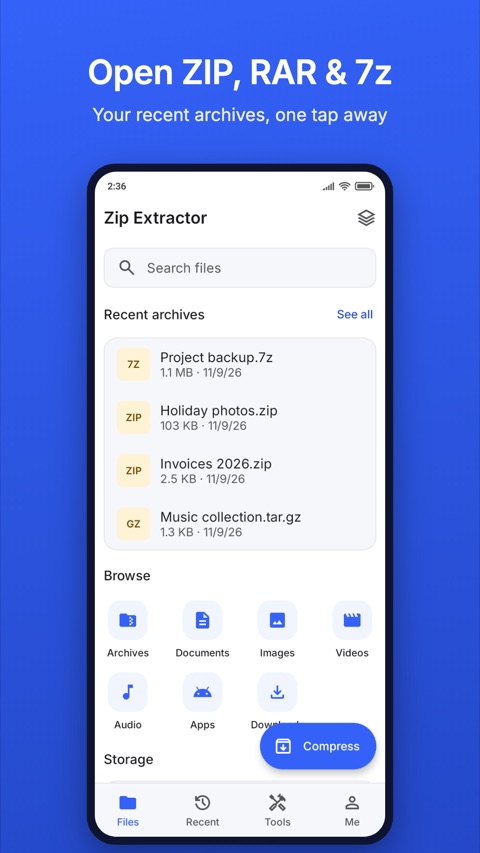
From download to document
Someone sends you invoices.zip. This is the whole trip.
Pick it and choose where it goes
Archives you received are on the home screen, newest first. Extract next to the archive or into another folder, and decide what happens to files that already exist.
Follow it, or leave
The task runs in a queue. Leave the screen and it keeps going. When it ends you see what was extracted, or what needs your attention.
Tap the file and read it
PDF, Word and Excel files open inside the app. Text, Markdown, code and images open too, with nothing extra to download.
Take only the files you need
Open View & choose to see what is inside an archive before you extract it. Tick the files and folders you want, or tap the eye to look at a single file first.
- Preview a file without extracting the whole archive
- Extract just your selection, or everything at once
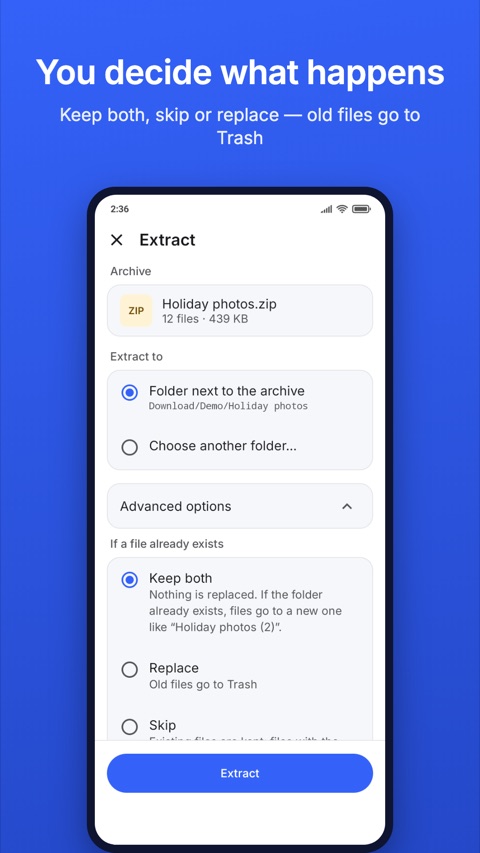
Nothing is replaced behind your back
Before an extraction starts you choose what happens when a file with the same name already exists.
- Keep both, skip, or replace
- Replaced files go to Trash for 30 days first
- Deleted items wait in Trash too, so a wrong tap isn't final
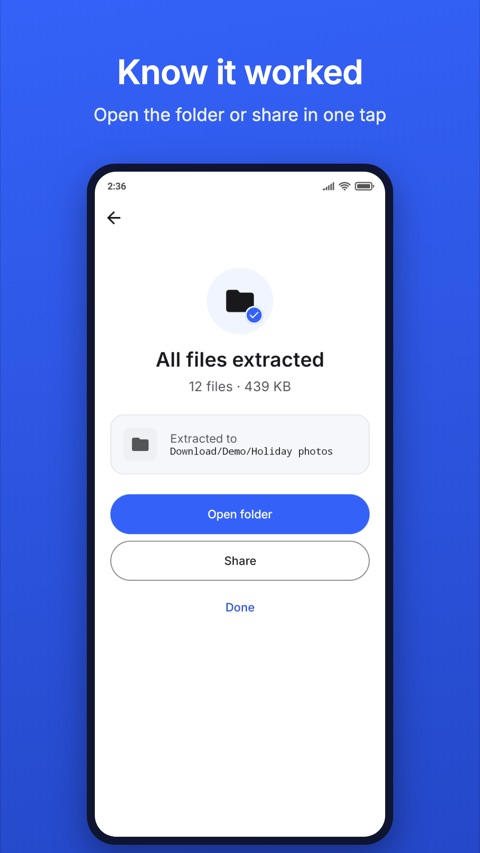
Every task ends with a clear answer
When it works, you see how many files came out and where they went, with Open folder and Share one tap away. When it doesn't, the app names the likely cause in plain words and puts the fix on the same screen.
- A wrong password: enter it again
- A missing part of a split archive such as .7z.001 or .part1.rar: find it
- Full storage: free up space or choose another place
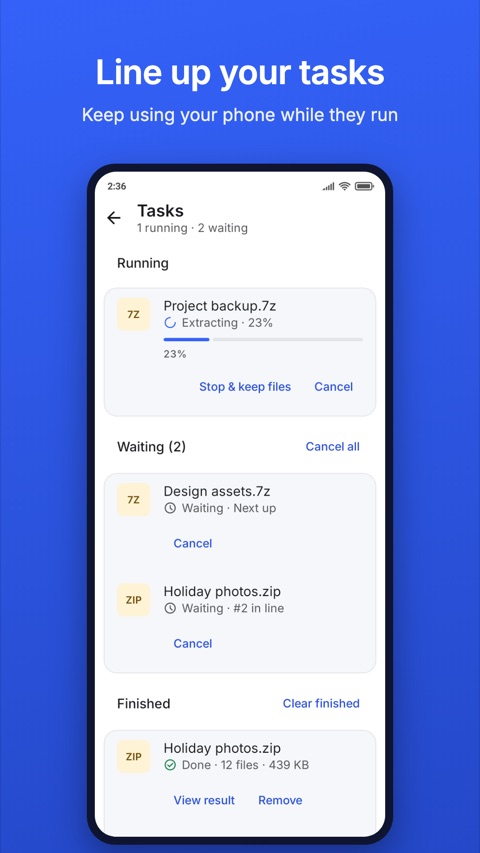
Tasks keep going when you leave
- Line up several extract, compress, copy and move tasks
- Leave the screen or the app, then follow progress in Tasks or in the notification
- Cancelled a waiting task by mistake? Undo it within 8 seconds
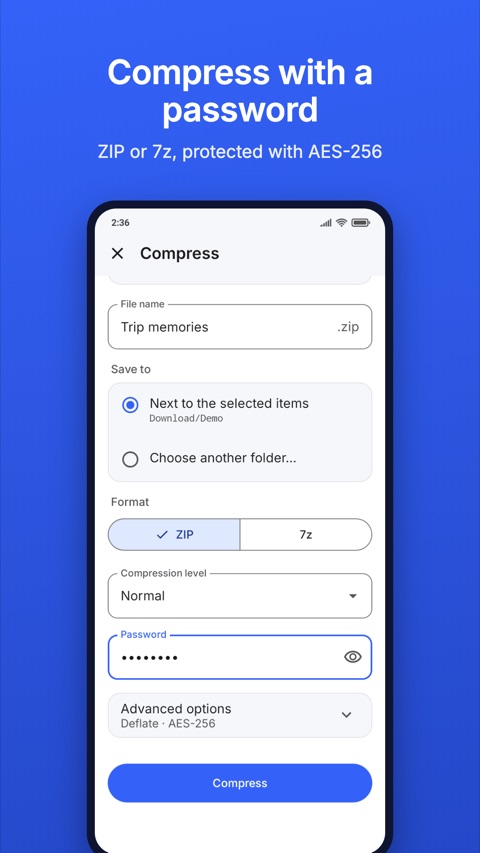
Pack files to send
Bundle documents, photos and videos into one archive.
- ZIP, 7z, TAR or TAR.GZ
- A password for ZIP and 7z
- Split a large ZIP or 7z into parts of the size you pick
- Move the originals to Trash once the archive is ready, if you want
Find things again
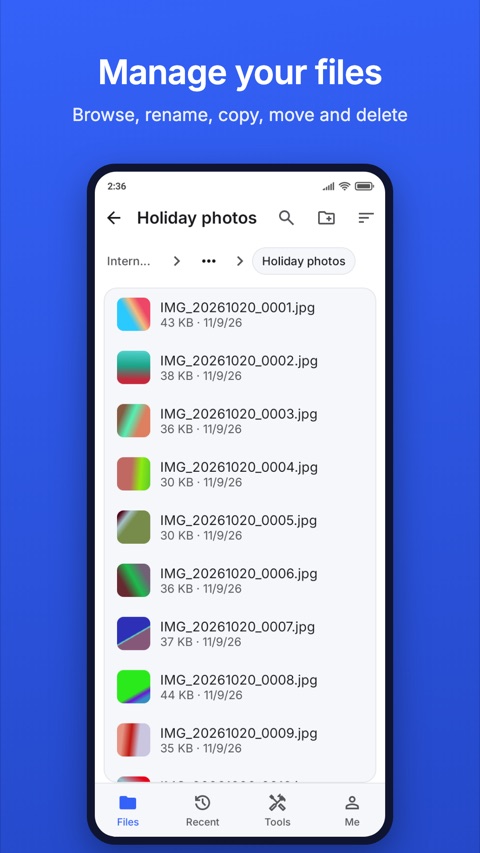
- Browse internal storage and the SD card
- Rename, copy, move and delete files, and make new folders
- Recent lists files that arrived on your device lately, grouped by day
- Search your files by name, and narrow the results by type
What it opens and creates
Check your file here before you install.
Extract
- ZIP, ZIPX
- RAR
- 7z
- TAR
- GZ, BZ2, XZ
- TGZ, TAR.GZ
- ISO
- CAB
Split archives
- .001, .002…
- .part1.rar
Password-protected archives ask for the password. A .tar.gz comes out as files, not as another .tar.
Create
- ZIP
- 7z
- TAR
- TAR.GZ
Password for ZIP and 7z. Split into parts for ZIP and 7z. RAR archives can be extracted but not created.
Read
Built in
- Text, logs
- Code, JSON
- Markdown
- Images
- Comics: CBZ, CBR, CB7, CBT
With the add-on
- Word .docx
- Excel .xlsx
Other files open in an app of your choice.
More you can do
Read comics
Open CBZ, CBR, CB7 and CBT files page by page, from your folders or from another app.
Protect with a password
Add a password when you create a ZIP or 7z archive. The app does not save it.
Split large archives
Make parts that fit where you need to send them, and keep them in one folder to extract.
Undo with Trash
Deleted and replaced files wait in Trash for 30 days. Restore them or empty Trash any time.
Search
Find files by name and narrow the results by type. Recent searches stay one tap away.
Your language
The app is translated into more than 50 languages, and you can pick one in Settings.
Add-ons: install only what you need
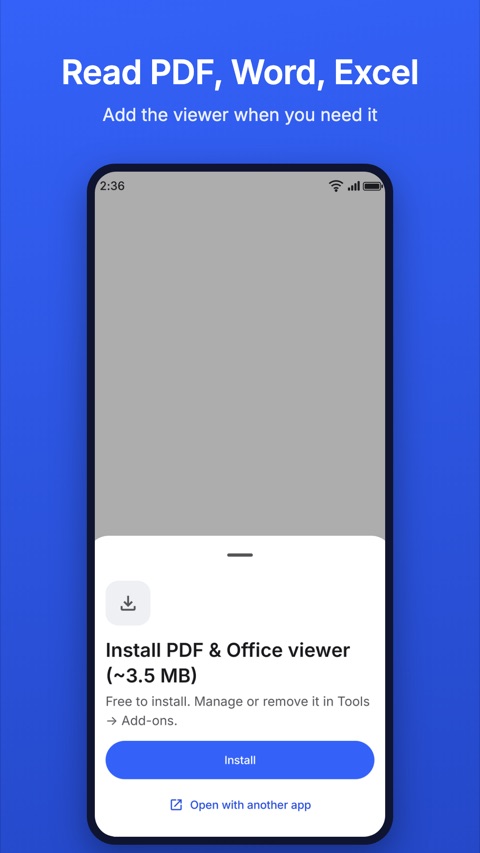
Zip Extractor keeps its core small. Features you may never use arrive as add-ons from Google Play, right when you ask for them, and you manage them in Tools → Add-ons.
PDF & Office viewer
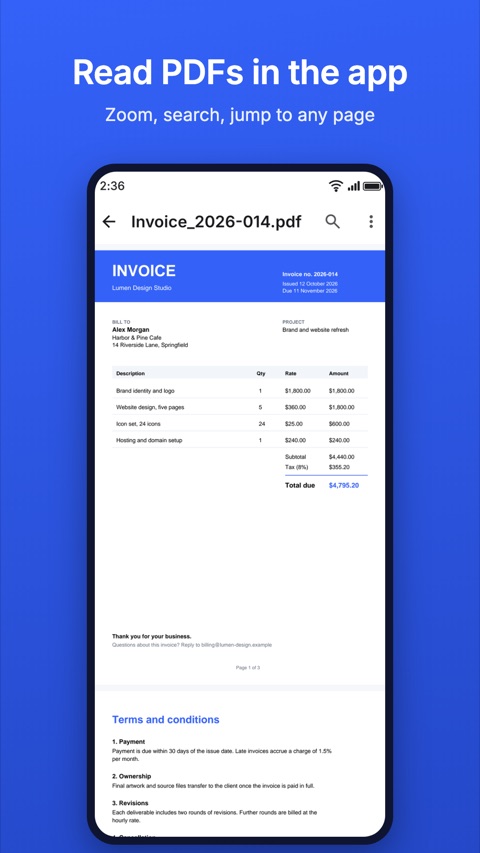
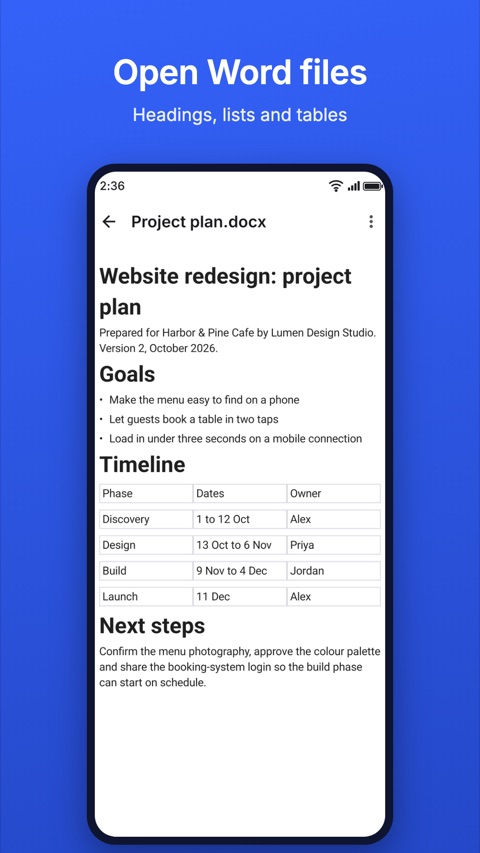
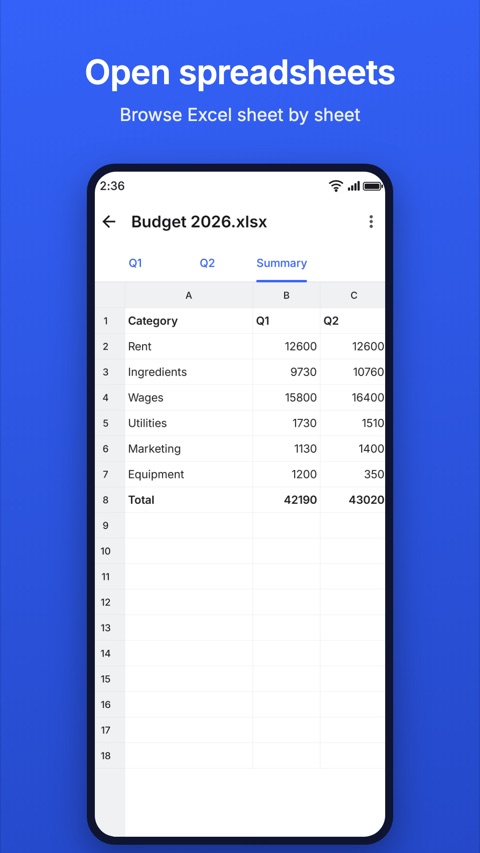
Opens PDF, Word (.docx) and Excel (.xlsx) files inside the app. Choose Zip Extractor when another app hands you one of these files and it opens the same way.
- Scroll long documents, or turn page by page up and down or side to side
- Pinch or double-tap to zoom
- Find text and see how many matches there are
- Jump to a page, or pick a chapter from Contents
- Open password-protected PDFs; the password is not saved
- Pick up where you stopped reading
- Links to websites ask before they open
Word
- Read headings, paragraphs, lists and tables
- A viewer, not an editor
Excel
- Browse a workbook sheet by sheet in a grid
- Shows the results Excel saved in the file
- A viewer, not an editor
How it installs
Tap a PDF, Word or Excel file
The app offers the viewer and shows its size.
Tap Install
Google Play downloads it while you keep using the app. You can cancel, and retry if the connection drops.
Read
The file opens when the download ends. You don't restart the app.
Good to know
- The viewer shows files. It does not edit them.
- It opens .pdf, .docx and .xlsx. Older .doc and .xls files and presentations open in another app of your choice.
- Password-protected Word and Excel files, and Office files larger than 30 MB, open in another app instead.
- Printing is not offered for a PDF you opened with a password.
Already built in
Plain text, logs and JSON (the app detects the encoding), Markdown, source code with colors, images you can swipe through folder by folder, and comics open with no download at all.
Remove the viewer any time in Tools → Add-ons. Google Play takes it off at the next app update, and you can install it again whenever you want.
Next
Tools
History is in the Tools tab. Check archive and Properties open from a file's menu in Browser, and Remove photo details is in a photo's Properties.
Check archive
Test an archive for errors before you rely on it, and save the files that are still good.
Remove photo details
Clear details such as location from a JPEG, PNG or WebP photo before you share it. The app asks first.
Properties
From a file's menu in Browser, Recent or Search: its size, dates and type, and for photos, the details stored inside.
History
Your past extractions and archives. Tap one to open the folder with the result.
Your files stay on your device
Extracting, compressing and reading happen on your device. Your files are not uploaded, and you do not need an account. Read the privacy policy for the details.
Why the app asks for All files access
Zip Extractor is a file and archive manager. All files access lets it show your folders and recent files, extract archives where you want and create new archives from your files.
Ads, and Pro
Zip Extractor shows ads. Zip Extractor Pro removes them, as a weekly subscription or a one-time purchase handled by Google Play.
Questions
- What is an add-on, and why do I download it?
- An add-on is an optional part of the app that Google Play delivers when you need it. The PDF & Office viewer is about 3.5 MB, so people who never open those files never carry it.
- Can I edit PDF, Word or Excel files?
- No. The add-on is a viewer.
- Do I need a connection to read a PDF?
- Only to download the add-on the first time. After that, files open on your device.
- Can it create RAR files?
- No. It extracts RAR archives and creates ZIP, 7z, TAR and TAR.GZ archives.
- How do I open a split archive?
- Keep all the parts, such as .7z.001 and .7z.002, in one folder and open the first one. If a part is missing, the app tells you which.
- Can I extract just one file?
- Yes. Tap View & choose, tick the files you want, then extract.
- Why does an archive ask for a password?
- The person who created it protected it. You need to get the password from them.
Next time an archive arrives, open it and read what's inside.